Every feature answers one question: which booth, which family, which person — and when.
Text or scanned PDFs become clean records: name, EPIC, age, father or husband, house, section, photo. Hindi names are corrected from the image itself, and every booth is verified against the elector counts printed on its cover.
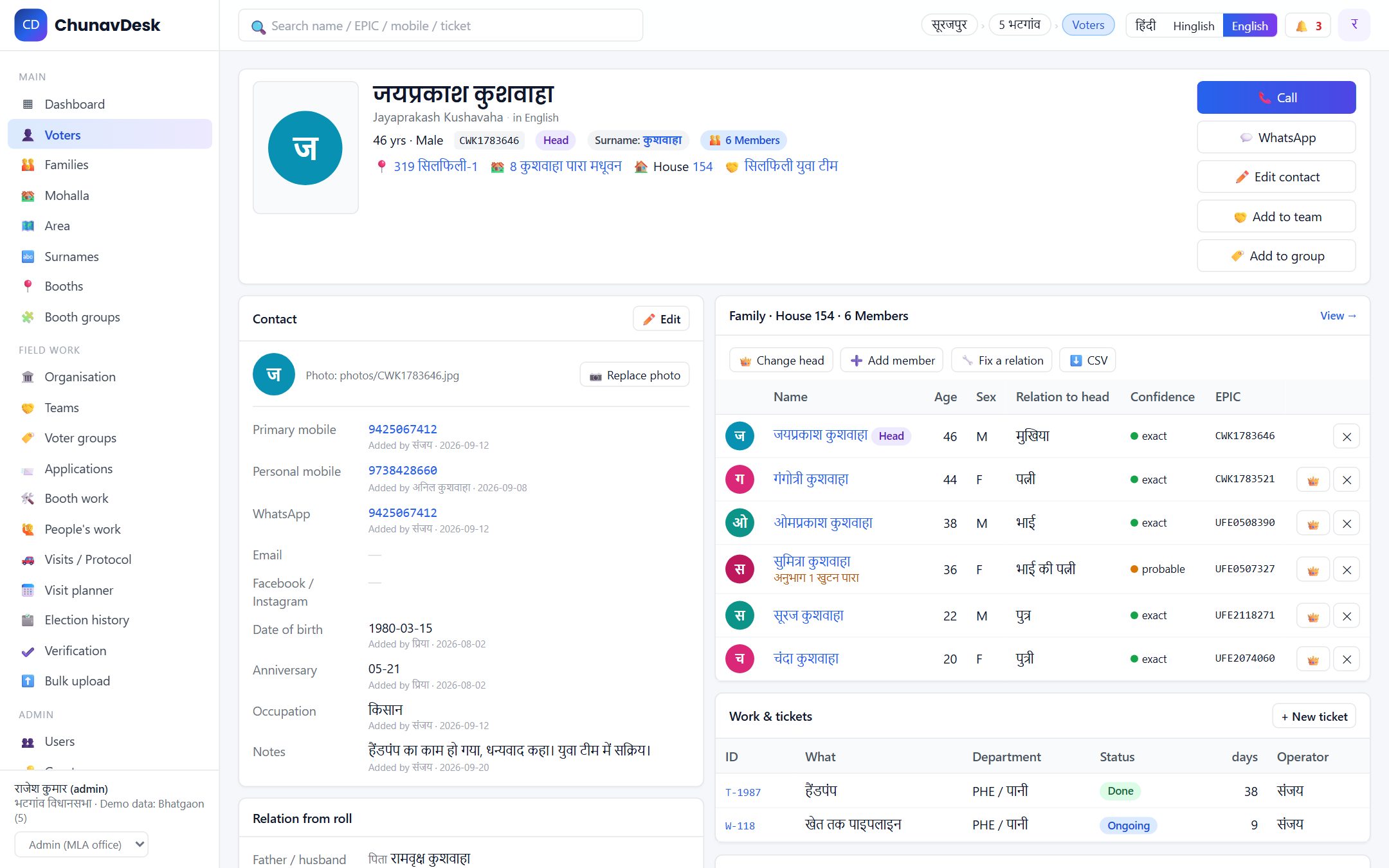
One house plus father / husband / mother names build a family: head, wife, sons and daughters, daughters-in-law, grandchildren. A son living in his own house links to his father one step up. When the data is ambiguous, nothing is linked — a smaller family beats a wrong one.
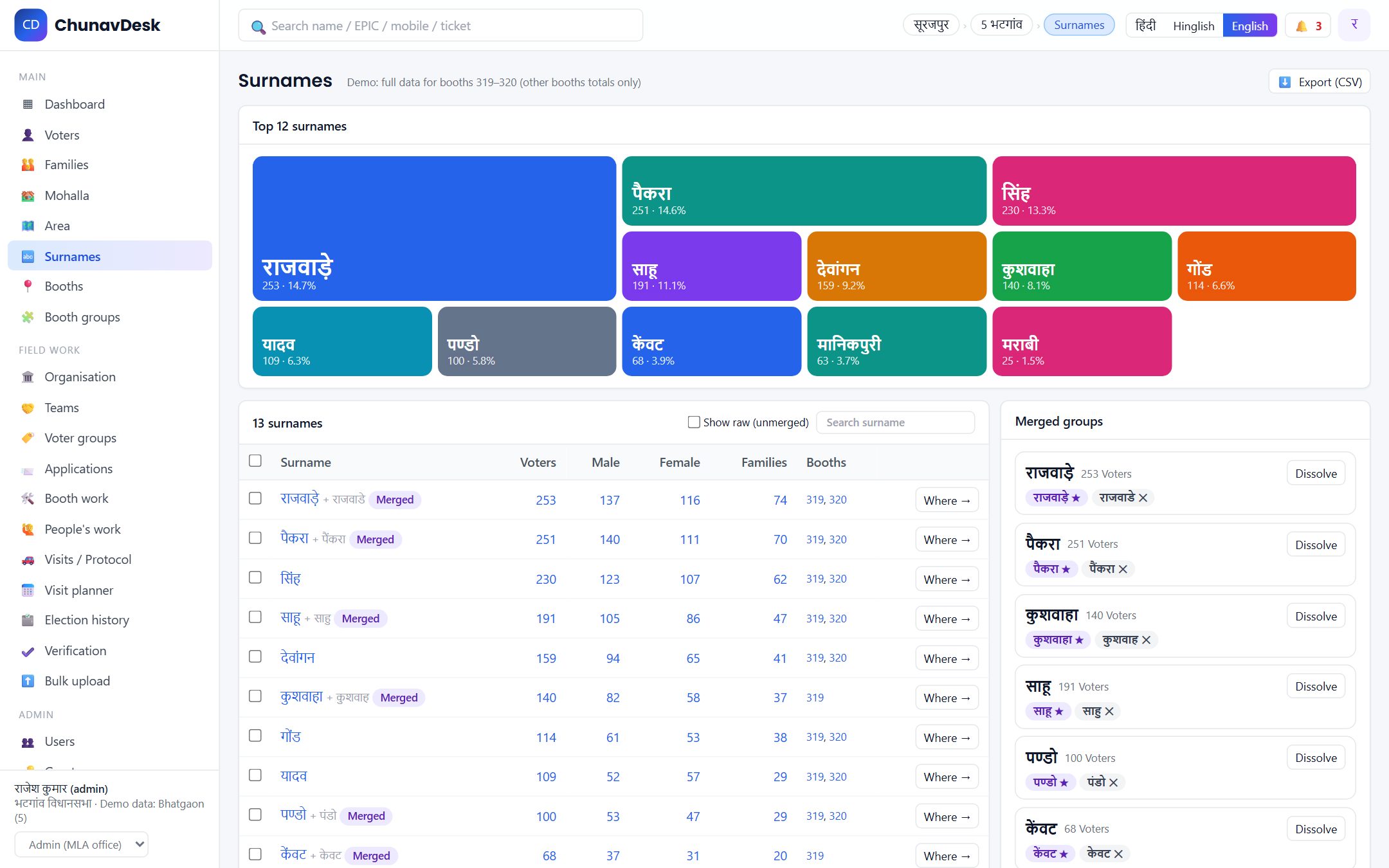
How many voters and families share each surname, and where they are — booth, mohalla, panchayat, thana, tehsil, post office. Merge variants like राजवाड़े and राजवार into one group; spelling differences are matched automatically and checked against the relative's surname.
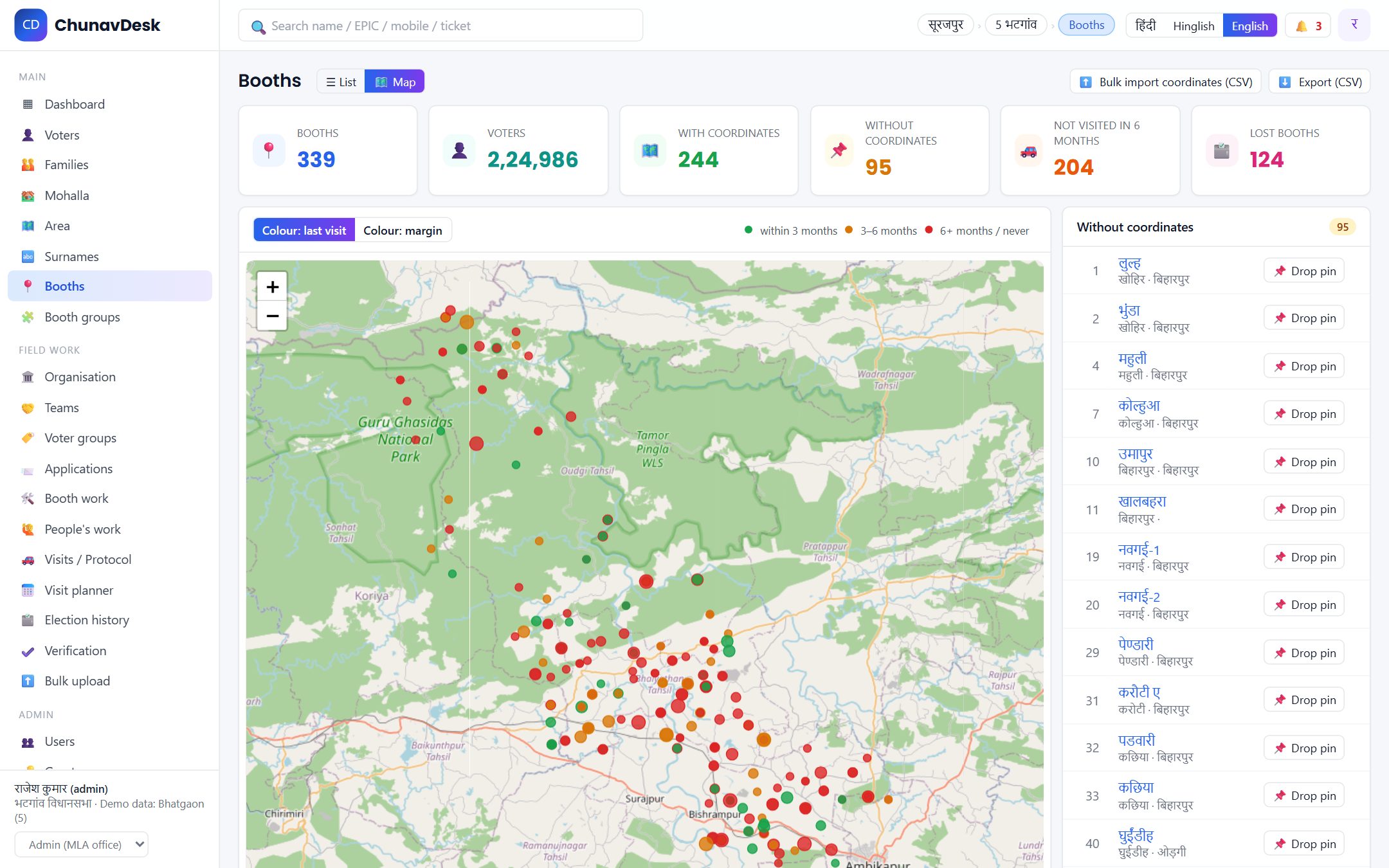
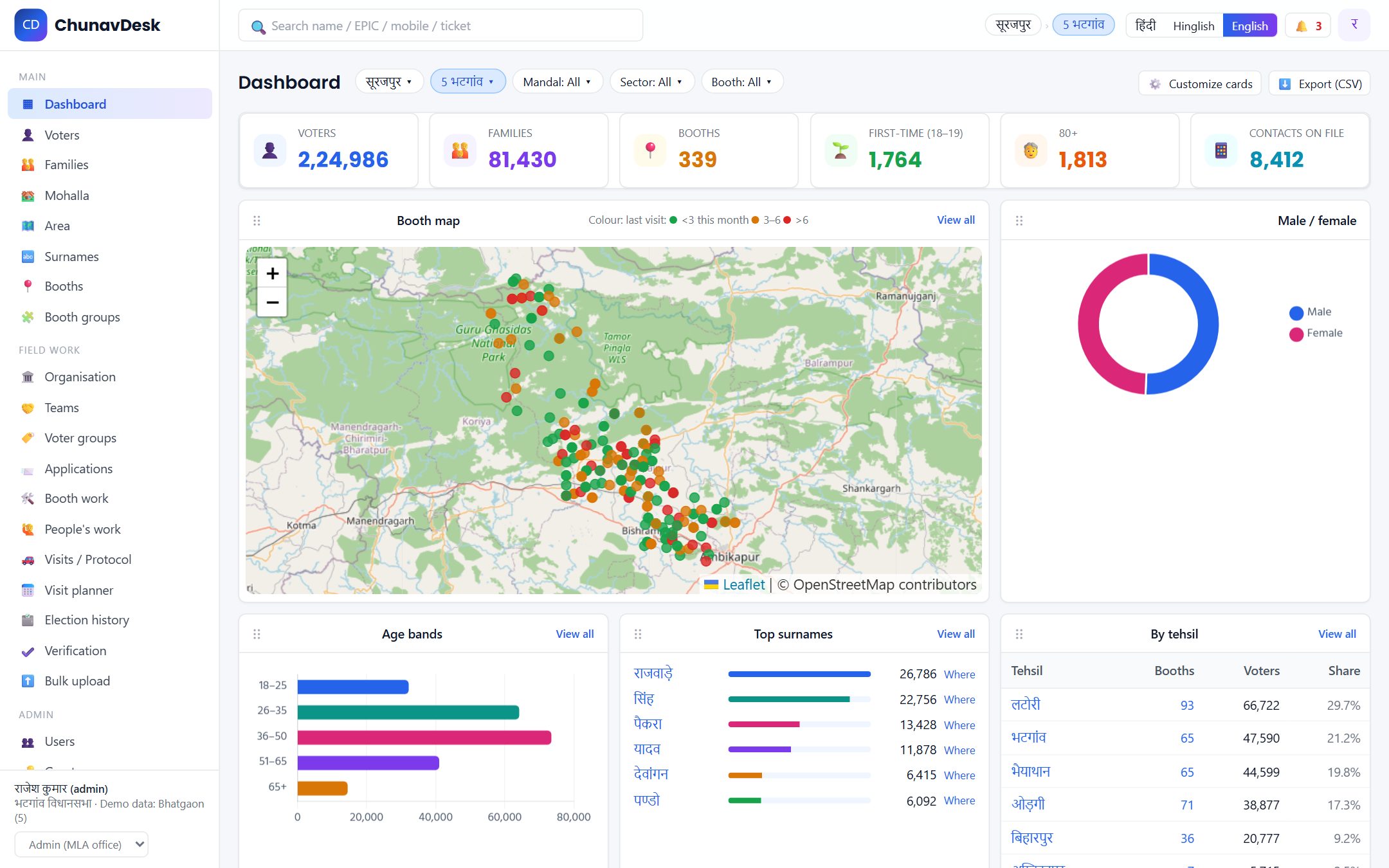
Booth coordinates come from the Election Commission's assembly map, or drop a pin. Colour the map by last visit or by margin. Group booths into sectors (shakti kendra) and mandals and rearrange them by drag and drop.
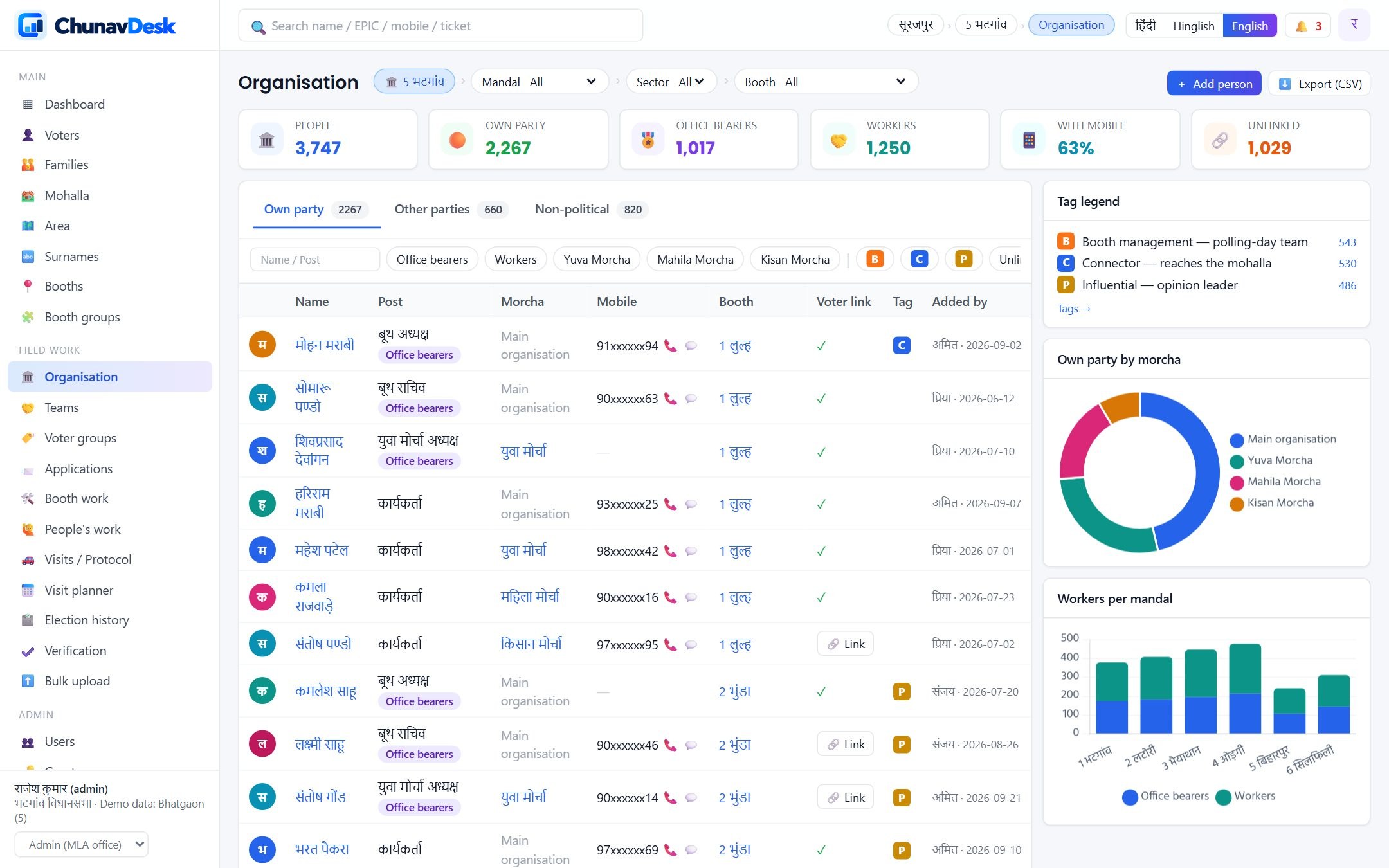
Office bearers and workers per booth, sector and mandal; youth and women morchas; other parties' and non-political key people in separate tabs. Colour tags you define. Every person links to their voter record, and teams export straight to your phone book.
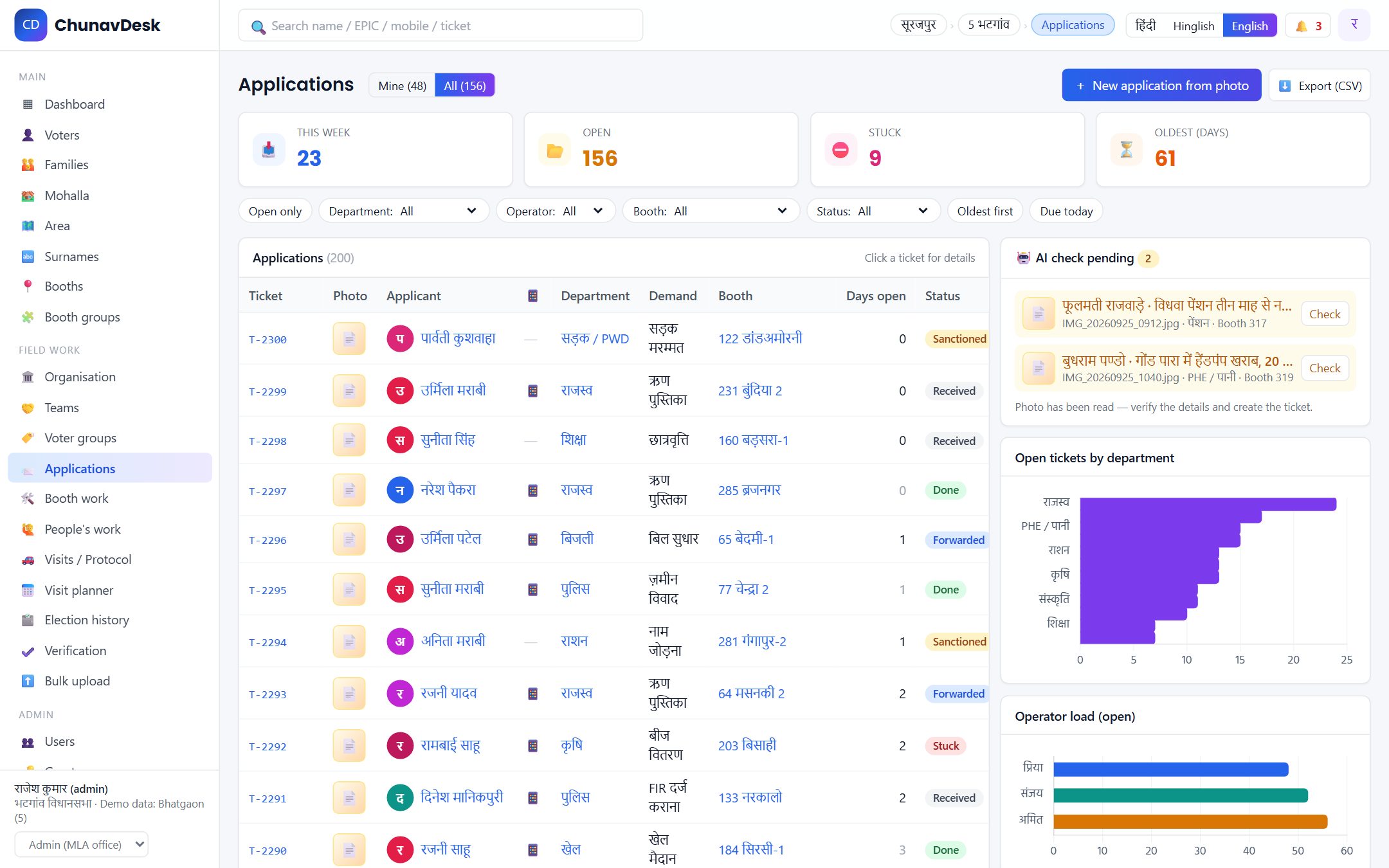
A PA (operator) photographs the application. AI reads the name, mobile, demand, place and department; the PA confirms on one screen; a ticket is created and routed to whoever handles that department. Received → forwarded → sanctioned → done, or stuck — with the oldest open ones always on top.
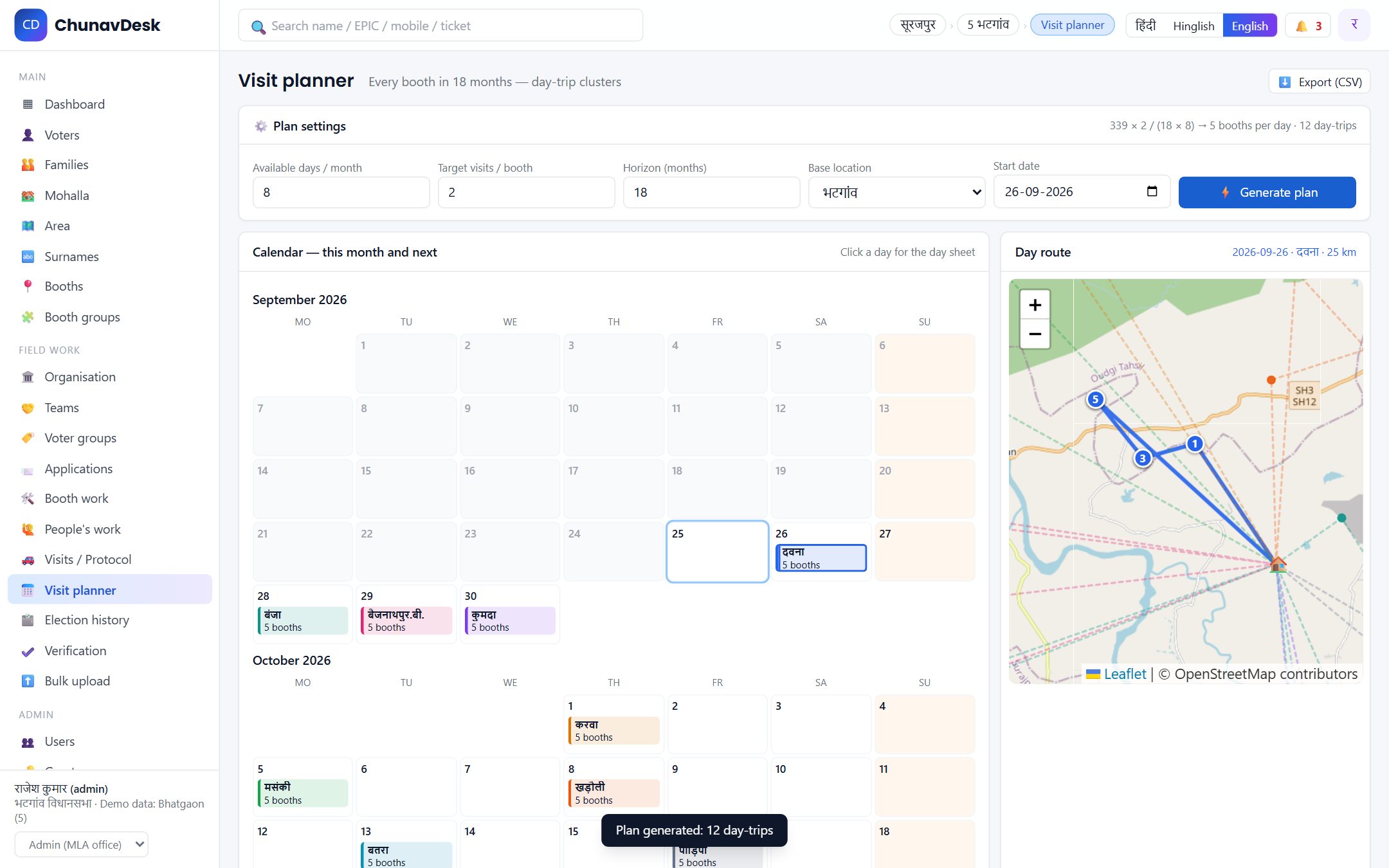
Upload protocol documents and AI builds the visit history — date, place, programme, who attended. Set available days per month and a target per booth; the planner clusters nearby booths into day trips, puts weak and long-unvisited booths first, and prints a day sheet with the route.
Booth-wise results from past elections, a mapping for booths that were redrawn, trends and weak booths — fed straight into the planner. One dashboard at every level, from district to voter; every role chooses and reorders its own cards.
The roll is public record. Contacts, notes, tickets and organisation lists live only in your account — never shared, never sold.
Not in the roll, never guessed, not even as a tag — in line with the Representation of the People Act.
Two-factor login, a full audit log of who changed what, daily backups, export and deletion on request.

